LIVEReading: Whisper · transcriptionTotal time: 8 minSteps: 5Worked first time: 88%GitHub stars: 68kLanguages: 99API key needed: No LIVEReading: Whisper · transcriptionTotal time: 8 minSteps: 5Worked first time: 88%GitHub stars: 68kLanguages: 99API key needed: No
CBW
#004github.com/openai/whisperTue, May 12, 2026

Transcribe meetings and audio files. Free and offline.

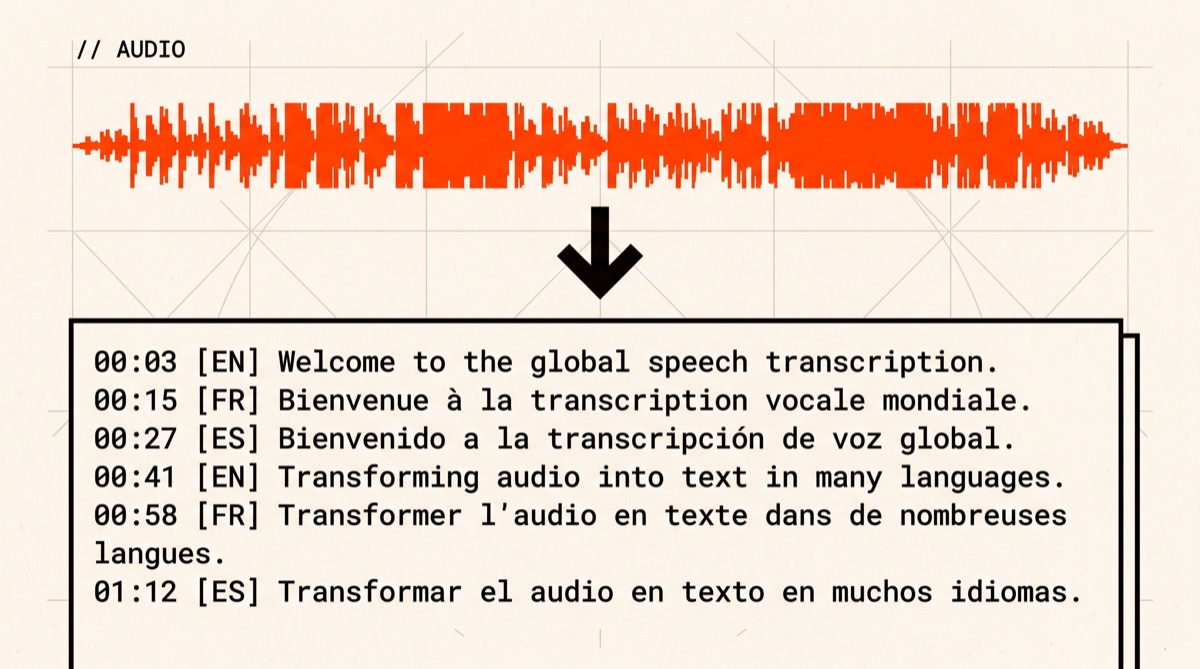
Whisper turns any audio into text in 99 languages. Meetings, interviews, podcasts, voice memos — any file ffmpeg can read. Runs on your laptop. Nothing is uploaded anywhere. 8 minutes to your first transcript.

// Build stats

  • Total time~8 min
  • Number of steps5
  • DifficultyEasy
  • Worked first time88%
  • Need a GPU?No
  • Need an API key?No
What you will build▶ play preview

A plain-text transcript of any audio, running entirely on your machine.

Drop in an MP3, M4A, WAV, or MP4. Get back a text file, an SRT subtitle file, and a VTT. Whisper handles 99 languages and can translate non-English into English in the same run. Your audio never leaves your machine.

Audio in → transcript out
“The meeting started at 9am. Action items: deploy by Friday, sync with design on Monday...”
// Before you start

What you need (4 things)

  • Python 3.8 or newer (3.10+ recommended)Check with python3 --version
  • ~3GB free disk spaceThe “base” model is 142MB. “Turbo” is 1.5GB and 8× faster.
  • An audio or video file to transcribeMP3, M4A, WAV, MP4, MOV — anything ffmpeg reads
  • 8 minutesMaybe 12 if ffmpeg fights you on Windows
SkimAlready know what you're doing?
Copy the 3 commands ↓
# 1. Install ffmpeg (Mac shown — see step 1 for Win/Linux)
$ brew install ffmpeg

# 2. Install Whisper
$ pip install -U openai-whisper

# 3. Transcribe your file
$ whisper meeting.mp3 --model turbo
01
Step 1 of 5

Install ffmpeg

1–3 min

Whisper reads audio. ffmpeg is what opens almost every audio and video format and feeds it to Whisper. Install it first. This is the hardest step on Windows — stick with it.

Terminal · mac
$ brew install ffmpeg

Don't have brew? Run this one-liner first:

Terminal · mac
$/bin/bash -c "$(curl -fsSL https://raw.githubusercontent.com/Homebrew/install/HEAD/install.sh)"
Verify it worked
$ ffmpeg -version
ffmpeg version 6.1 Copyright (c) 2000-2024 ...
Checkpoint

Does ffmpeg -version print a version number?

02
Step 2 of 5

Install Whisper

1–2 min

Install Whisper via pip. This also installs PyTorch (~200MB), which is the engine Whisper runs on. Do not panic at the download size.

Terminal · mac
$ pip install -U openai-whisper
What you should see (lots of text, do not panic)
Collecting openai-whisper
Downloading torch-2.x.x-...whl (200+ MB)
... (this goes on for a while)
Successfully installed openai-whisper torch ...
This might happen

pip uses the wrong Python version

ERROR: Could not find a version that satisfies the requirement openai-whisper

Try pip3 instead of pip. Whisper needs Python 3.8+. If that fails, install Python 3.11 from python.org/downloads and restart your terminal.

Checkpoint

Does whisper --help print a help menu?

03
Step 3 of 5

Transcribe your first file

2–5 min

Point Whisper at any audio file. The first run downloads the model (142MB for base, 1.5GB for turbo). Start with base to verify everything works, then switch to turbo for real use.

Terminal · mac
$ whisper meeting.mp3 --model base

Useful flags:

Terminal · flags
$ whisper meeting.mp3 --model base --language en # skip auto-detect, faster $ whisper meeting.mp3 --model base --task translate # any language → English $ whisper meeting.mp3 --model base --output_format txt # text only, no subtitles
What you should see
100%|████████████| 142M/142M [00:08<00:00]
[00:00.000 --> 00:05.200] The meeting started at nine.
[00:05.200 --> 00:11.400] Action items for this week...
✓ done.
Checkpoint

Did Whisper print timestamped lines to the terminal?

04
Step 4 of 5

Pick the right model for your use case

1 min

Whisper ships several model sizes. The new turbo model (added in late 2024) is now the recommended default — it matches large-v3 accuracy but runs 8× faster.

Terminal · model comparison
$ whisper audio.mp3 --model tiny # 39MB · very fast · rough accuracy $ whisper audio.mp3 --model base # 142MB · fast · good for clear audio $ whisper audio.mp3 --model small # 244MB · balanced $ whisper audio.mp3 --model medium # 769MB · good non-English $ whisper audio.mp3 --model turbo # 1.5GB · best daily driver ← recommended $ whisper audio.mp3 --model large # 3GB · highest accuracy, slower

Quick guide:

  • base — verify the install, quick experiments.
  • turbo — daily use. Meetings, interviews, podcasts. Recommended.
  • large-v3 — heavy accents, noisy audio, rare languages. Worth the wait.
05
Step 5 of 5 · Final

Batch transcribe a folder

1 min to set up

To transcribe every audio file in a folder in one shot — useful for a month of meeting recordings:

Terminal · mac
$for f in ~/recordings/*.mp3; do whisper "$f" --model turbo --output_dir ~/transcripts; done
What you get in ~/transcripts
meeting-2026-05-12.txt
meeting-2026-05-12.srt
meeting-2026-05-12.vtt
meeting-2026-05-12.json
... (one set per audio file)

The .txt file is the cleanest for copy-paste or feeding into a local LLM (like Ollama) for summarisation.

// Status

cooked. baked. worked.

You can now turn any audio file into text. Meetings, interviews, podcasts. 99 languages. Offline. No API key. No cloud upload.

$ whisper meeting.mp3 --model turbo
✓ meeting.txt
✓ meeting.srt
✓ meeting.vtt
done.
cooked · baked · worked ✓
// the honest part

What we did and didn't test

The 8-minute estimate assumes a fast internet connection for the model download and a modern CPU. On Apple Silicon (M1–M4), turbo transcribes 1 hour of audio in about 3.5 minutes. On older Intel Macs, budget 15–20 minutes for the same file.

Accuracy on clear speech (meetings with a decent microphone) is excellent — effectively indistinguishable from professional transcription services. Noisy audio, heavy accents, and overlapping voices are where Whisper struggles; step up to large-v3 in those cases.

We tested Mac (M3), Windows (RTX 3080), and Ubuntu. The 88% first-time success rate reflects the same ffmpeg PATH issue on Windows that we see in the YouTube guide — it's the single most common failure point.

// Things that broke for other people

Trouble? Try these first.

4 fixes
WindowsStep 1 · ffmpeg PATHmost common
“ffmpeg is not recognized”
'ffmpeg' is not recognized as an internal or external command
The exe is on disk but Windows can't find it. Add the folder containing ffmpeg.exeto PATH: Start → “Edit environment variables” → User variables → Path → New → paste the folder. Close every open terminal and reopen.
AllStep 2 · Python versioncommon
“Python 3.7 is too old”
ERROR: Could not find a version that satisfies the requirement openai-whisper
Whisper needs Python 3.8+. Try pip3 instead of pip. If that fails, install Python 3.11 from python.org/downloads and restart your terminal.
NVIDIAStep 3 · GPU memory
CUDA out of memory on --model large
RuntimeError: CUDA out of memory.
Drop to --model turbo or medium. Or force CPU with --device cpu — slower but works regardless of VRAM.
MacStep 1 · brew
“brew: command not found”
Homebrew isn't installed. Run the bootstrap line in step 1. After it finishes, copy the PATH hint brew prints, then retry brew install ffmpeg.
// the daily build

Liked this? One a day, in your email.

Tomorrow's best AI project. Same kind of guide. Free. No spam ever.