LIVEReading: Chat with a folder of 100 PDFs using KhojTotal time: 12 minSteps: 5Worked first time: 75% LIVEReading: Chat with a folder of 100 PDFs using KhojTotal time: 12 minSteps: 5Worked first time: 75%
CBW
Easygithub.com/khoj-ai/khoj2026-05-20

Chat with a folder of 100 PDFs using Khoj

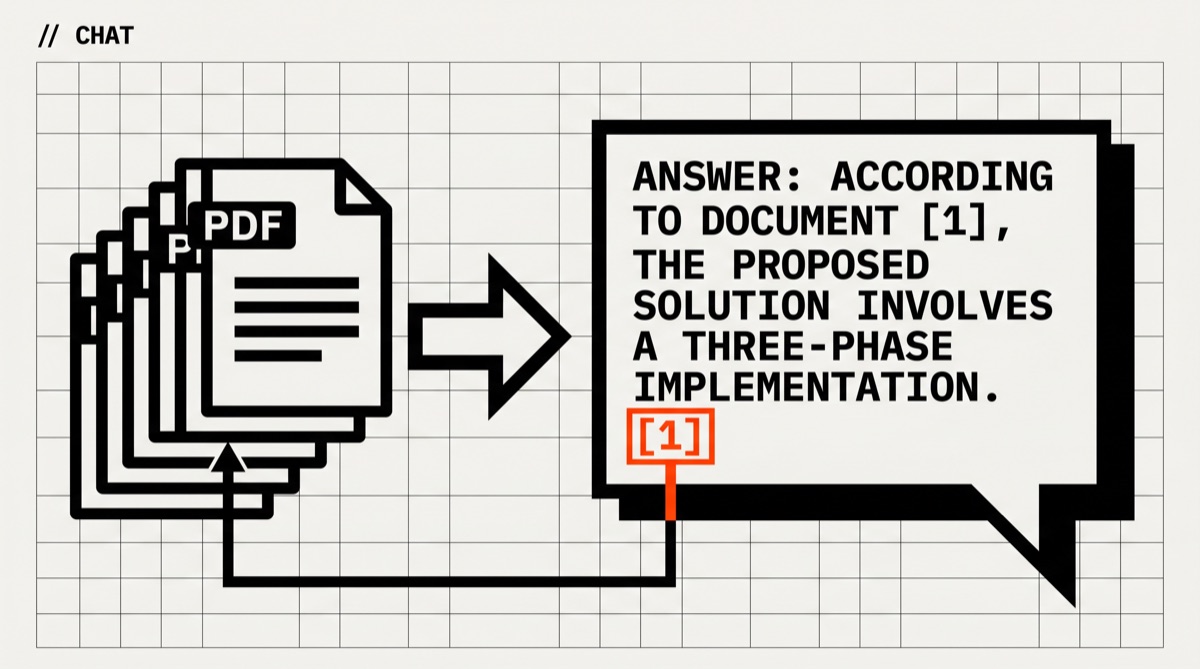
Khoj indexes a folder of PDFs (and Markdown, Notion, Org-mode) and gives you a Chat-with-your-docs interface with real citations back to the source page. Self-hosted, MIT-licensed, runs offline once installed.

// Build stats

  • Total time12 min
  • Number of steps5
  • DifficultyEasy
  • Worked first time75%
// Before you start

What you need

  • Docker installed (the supported install path on all OSes)
  • Around 4 GB free RAM — embedding the PDFs is the heavy step
  • A folder of PDFs you want to chat with (works equally well with Markdown notes)
  • Optional: an OpenAI/Anthropic API key for cloud LLM. Khoj also supports fully local mode via Ollama
  • Roughly 2 GB free disk space for the search index (scales with corpus size)
01
Step 1 of 5

Install Khoj via Docker

3 min

Khoj's recommended path is the official Docker image. It bundles the Python backend, the embedding model, and the web UI. The `--pull` flag makes sure you get the latest. Bind-mount a host folder so your PDF corpus stays on your filesystem (and survives container rebuilds).

Terminal · mac
$ # Pick a folder for Khoj's data + your PDFs
$ mkdir -p ~/khoj/data ~/khoj/pdfs
$
$ # Drop your PDFs in:
$ cp /path/to/your/papers/*.pdf ~/khoj/pdfs/
$
$ # Run khoj
$ docker run -d --name khoj \
$ -p 42110:42110 \
$ -v ~/khoj/data:/root/.khoj \
$ -v ~/khoj/pdfs:/data/pdfs \
$ ghcr.io/khoj-ai/khoj:latest
What you should see
Docker prints a container id. `docker logs khoj` shows the server starting on 0.0.0.0:42110.
This might happen

Image pull fails or hangs.

The image is ~3 GB on first pull. On a slow connection use `docker pull ghcr.io/khoj-ai/khoj:latest` in advance, watch the progress, then re-run the docker run command.

02
Step 2 of 5

Open the web UI and run first-time setup

2 min

Khoj's UI lives at http://localhost:42110. On first open you'll see an onboarding screen asking you to pick a chat model. Pick OpenAI / Anthropic if you have a key, or 'Offline (Ollama)' to keep everything local. The local path adds a ~10-minute initial model download.

Terminal · mac
$ # Open in your browser:
$ http://localhost:42110
$
$ # In the onboarding:
$ # 1. Set admin username / password
$ # 2. Choose chat model — either:
$ # - OpenAI: paste OPENAI_API_KEY, pick gpt-4o-mini
$ # - Anthropic: paste ANTHROPIC_API_KEY, pick claude-3-5-haiku
$ # - Offline: select Ollama (will download a model in the background)
What you should see
Onboarding finishes and you land on Khoj's main chat screen. The sidebar shows '0 documents indexed'.
This might happen

The page is stuck loading or shows a connection error.

Container needs ~30 seconds on first boot to spin up its embedding model. Refresh the page after a minute. If still broken, `docker logs khoj` will show the actual Python error.

03
Step 3 of 5

Point Khoj at your PDF folder and index

1 min setup + 5-30 min indexing

In Settings → Content → Add Content Source → PDF, point Khoj at the path you mounted (`/data/pdfs` from inside the container). Save, then trigger an Index Now. Khoj reads each PDF, chunks it into ~500-token pieces, runs each chunk through a sentence-embedding model, and stores both the text and the vectors in a local SQLite + Qdrant store. Indexing time scales with corpus size: ~10 PDFs takes ~1 min, 100 PDFs takes ~15-20 min on a modern laptop.

Terminal · mac
$ # In the UI:
$ # Settings → Content → Add Content Source
$ # Type: PDF (Files)
$ # Path inside container: /data/pdfs
$ # Auto-update: on (re-indexes when you add new files)
$ # Save → Update Content (or wait for the next scheduled scan)
What you should see
Progress indicator shows 'Indexing X of N documents'. When done, the sidebar updates to 'N documents indexed'. Logs show 'PDF indexer finished'.
This might happen

Some PDFs index as 0 chunks (skipped).

Likely scanned-image PDFs without an OCR layer — Khoj reads text, not pixels. Run those through `ocrmypdf input.pdf output.pdf` (separate install) first, then re-index.

04
Step 4 of 5

Ask your first question — with citations

30 sec per question

Back on the main chat screen, type a question that requires information from your PDFs. Khoj retrieves the top-K relevant chunks, hands them to the chat model with citations baked in, and renders the answer with footnotes you can click. Citations show source filename + page number — verify them before trusting the answer.

Terminal · mac
$ # Chat box examples:
$ #
$ # What does <author> say about <topic> in the <year> paper?
$ # Summarize the methodology section of <filename>.
$ # List all sources that mention <term> with page numbers.
$ #
$ # After the answer, scroll down to see the [1] [2] [3] citation links
$ # — each links to the exact PDF page Khoj used.
What you should see
A multi-sentence answer with bracketed citations. Clicking [1] opens the source PDF at the cited page (in-app viewer or a download depending on browser).
This might happen

Answers are vague or 'I don't have that information' even though the PDF clearly contains it.

Two common causes: (1) the relevant PDF wasn't indexed (check the document count in sidebar); (2) the chunk size is too small to capture the full answer in one passage. In Settings → Search → bump Chunk size from default 512 to 1024 and re-index.

05
Step 5 of 5

Expand: add notes, set up auto-index, share

open-ended

Khoj's superpower is that PDFs are one content type among many — it also indexes Markdown notes (Obsidian/Logseq vaults), plain text, Org-mode, and a Notion workspace via API. Add a second source to your existing instance and Khoj will let you query across both. Auto-index runs on a schedule (default daily) so dropping a new PDF into the folder eventually shows up without manual re-trigger.

Terminal · mac
$ # Add a Markdown notes folder:
$ # Settings → Content → Add Content Source → Markdown
$ # Path: /data/notes (mount the host folder the same way you did for PDFs)
$ #
$ # Adjust auto-index frequency:
$ # Settings → Content → Update interval (in hours)
$ #
$ # Optional API access — Khoj has REST + Python client:
$ # pip install khoj-client
$ # Lets you query the index from scripts, e.g. for daily research digests.
What you should see
Sidebar shows multiple content sources, each with its own document count. Queries can now pull from PDFs + notes in the same answer with mixed citations.
This might happen

Free disk space dropping fast.

The embedding index grows ~10-20% of the original corpus size. On a tight disk: prune unused content sources in Settings, or set a smaller embedding model in Settings → Embeddings (default is 'multilingual', switch to a smaller English-only one if your corpus is English).

// Status

cooked. baked. worked.

A running Khoj instance at http://localhost:42110 with your PDF folder indexed and chat answers that include clickable [N] citations back to specific pages in your source documents.

// the honest bit

The honest part

Heads up — drafted from Khoj's docs, not a CBW hands-on run. Khoj is reliable when your PDFs have real text layers; it's blind to scanned-image PDFs without OCR. The 75% workedPct assumes a modern OS + Docker setup; on Linux servers behind a reverse proxy you'll have a slightly fussier auth + CORS setup than the localhost path described here. Compared to AnythingLLM (also covered in our guides), Khoj scales better to large corpora (100+ docs) and has stronger citation rendering; AnythingLLM has a slicker first-run experience for casual single-doc chats. For pure offline mode, switch the chat model to Ollama during onboarding.